BESIM - Simulation of Respiratory Mechanics
Version 3.01
Take a look at my other project (under construction): jCpSim (www.jcpsim.org) Java Cardiopulmonary Simulations |
Features
Screenshots
Download
Installation
Registration
FAQ
History
Privacy
Contact Info

last updated: 23 May 2005

| Info |
BESIM is a computer program which simulates the ventilation of a patient.
With this software the user can learn something about:
 | the function and operation of different respirators, |
| and the respiratory mechanics of ventilated patients. |
| Features |
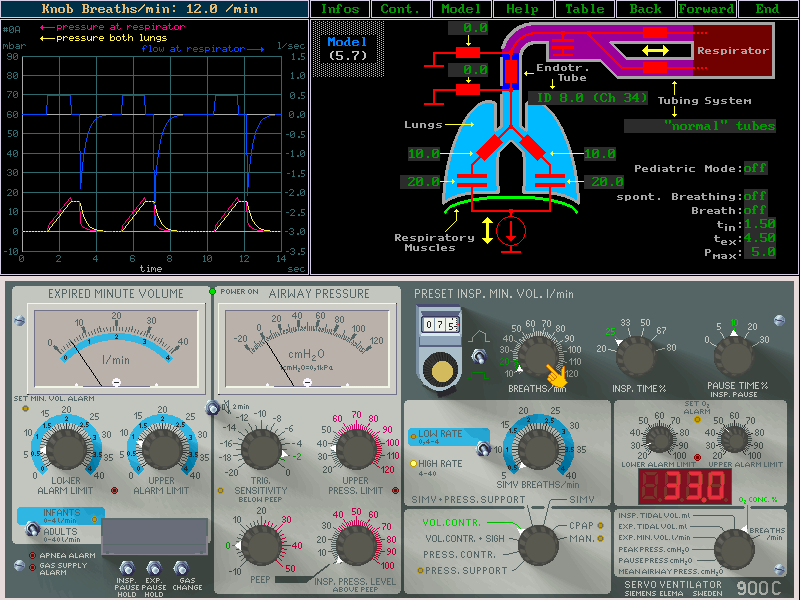
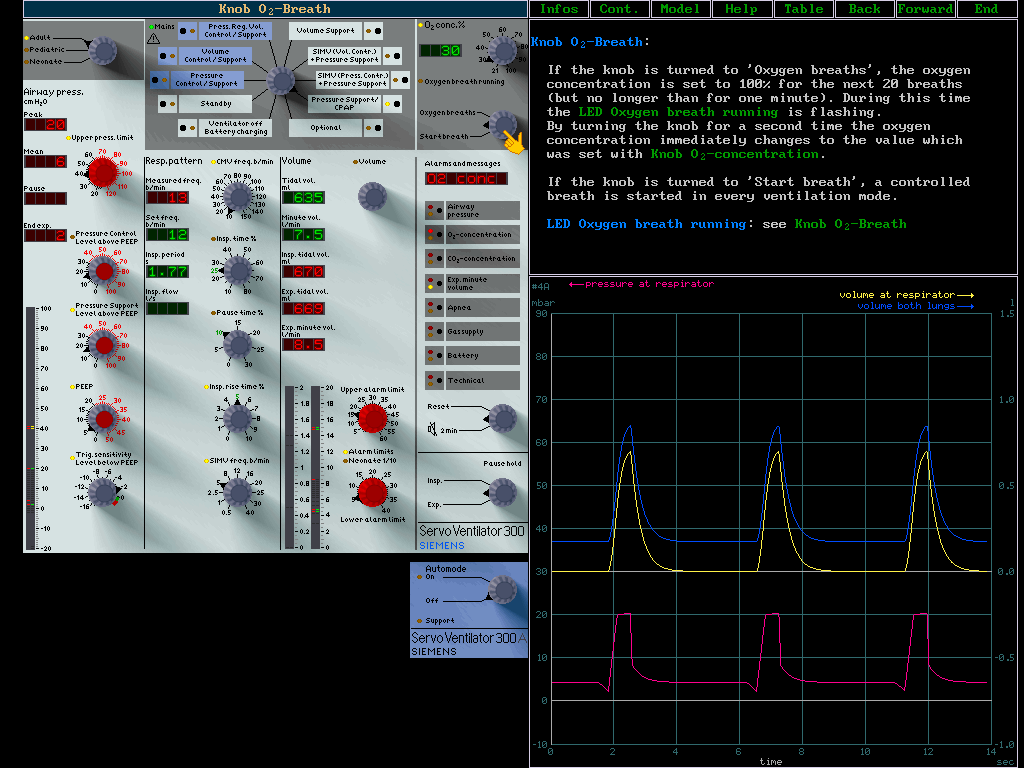
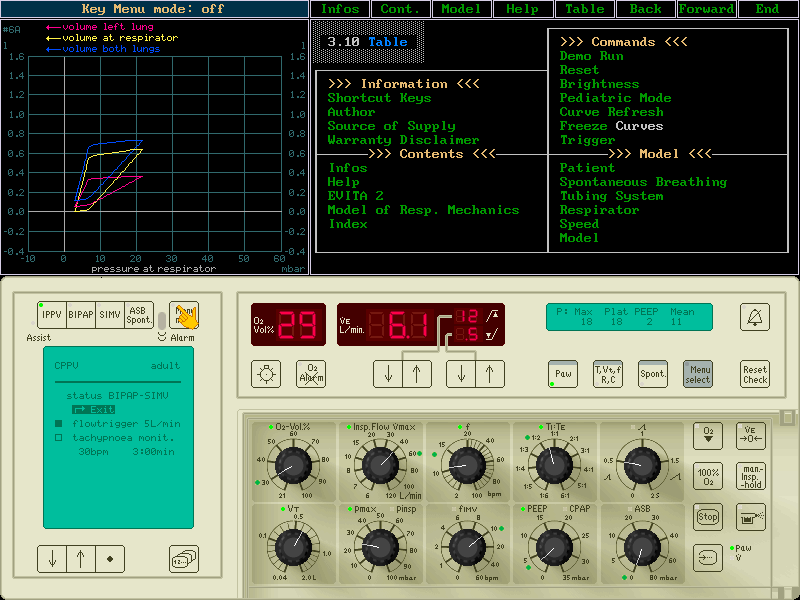
| Software simulation of the SERVO 900 C, SERVO 300 A and EVITA 2 ventilator |
| The knobs of the ventilator can be set with the mouse |
| Mathematical simulation of the patient lungs (resistance, compliance, two compartments, spontaneous breathing, ET-tube, ...) |
| Curve window (pressure, flow and volume at the ventilator and at the patient lungs; loops) |
| Hypertext window for information about ventilator (and program) function |
| English and German language |
| For Windows 95 and newer |
| Screenshots |
Click on an image to view the full sized screen dump! |
||
 |
 |
 |
SERVO 900 C (800x600, 71kB) |
SERVO 300 A (1024x786, 98kB) |
EVITA 2 (800x600, 54kB) |
| Download |
Here you can download the newest demo version (1085 kB): besim301.exe
The demo version may be freely copied and given to others.
If you want to purchase BESIM you should try the demo version first in order to see if BESIM runs well with your hardware and software.
The demo version has two restrictions:
- It starts with a short "demonstration movie" which can not be interrupted.
- After the user has worked with the software for some time the program exits and has to be restarted (and the demo movie is coming again).
| Installation |
Execute besim301.exe and follow the instructions.
An uninstaller will be installed together with BESIM (if you want to remove BESIM from your disk).
Start besim.exe from its installation directory (or with the desktop icon).
At the start page you have to set the "Keyboard Mapping" to the country for which you keyboard was produced (on German keyboards for instance the letters Y and Z are switched).
Start BESIM again.
| Registration |
Since 23 Jan 2022 a free registration code is available:
---------------------------
registration code: ESEPMPBF
serial number    : 23456
user name        : public
---------------------------
With that code you can turn the demo version into an unrestricted version.
| FAQ (Frequently Asked Questions) |
- I do not succeed in turning the demo into the unrestricted version.
If the 'demo video' still cannot be interrupted after input of 'User Name' and 'Registration Code' there can be the following problems:- A typing error: you have to type user name and registration code exactly as written on this Website (even upper and lower letters).
- On the input lines for user name and registration code you might see different characters as typed on your keyboard. This means that the 'Keyboard Mapping' (lower left on the startup screen) has to be set to the country for which your keyboard was produced. If you have a German keyboard you should set 'Keyboard Mapping' to 'Germany' (otherwise the letters Y and Z would be switched).
- You need to have write permission for the directory in which BESIM is installed.
- Old versions of BESIM did run in fullscreen mode - now it runs inside a window on the desktop. How can I switch to the old fullscreen display?
The so called windowed mode is a little bit more compatible with some hardware and software. Therefore it is now the default mode. To switch back to fullscreen mode you have to edit the file allego.cfg (in the BESIM installation directory):
the line 'gfx_card = GDIB' has to be changed to 'gfx_card ='.
| History |
Public registration code (23 Jan 2022):
- A public and free registrration code is made available (see "Registration above").
For about 20 years up to then a registration code had to be purchased for US$ 85.00.
Version 3.01 (14 Aug 2002):
- Fixed severe bug in registration code verification algorithm which occured only together with special software configurations. It caused the registered version to crash whereas the demo version would run (fortunately it was only me and not a user who had this problem).
- Changed default display from fullscreen to windowed mode (see FAQ).
- SERVO 300: corrected wrong display of inspiratory period and I:E ratio in ventilation modes without inspiratory pause.
- Curve window menu: two different pressure/volume loops instead of one (which was a little bit confusing).
- Distribution over the internet.
- Ported from MSDOS to OS independent library (now BESIM runs with newer MS-Windows versions; a Linux version - which is still a little bit slow and therefore not public - does also exist).
- Many bugfixes and small improvements.
. . .
. . .
Version 1.01 (21 Sep 1993):
- First public version (SERVO 900 C in German language for MSDOS).
- The initial thought to combine front panel of
the respirator, curve window and hypertext manual
into one computer program originates from:
Dr. Ing. A. Obermayer
Department of Anaesthesiology
University of Erlangen-Nuremberg, Germany
He was the one who gave me the idea to write this software.
| Privacy |
No customer data will be given to others.
| Contact Info |
|
Dr. Frank Fischer Grasweg 12 D-91054 Buckenhof Germany |
Email: frank@jcpsim.org WWW: jicu.de/BESIM |